Web-to-Pack for Printing Business
Pick a box. Upload artwork. Preview in 3D. Order.
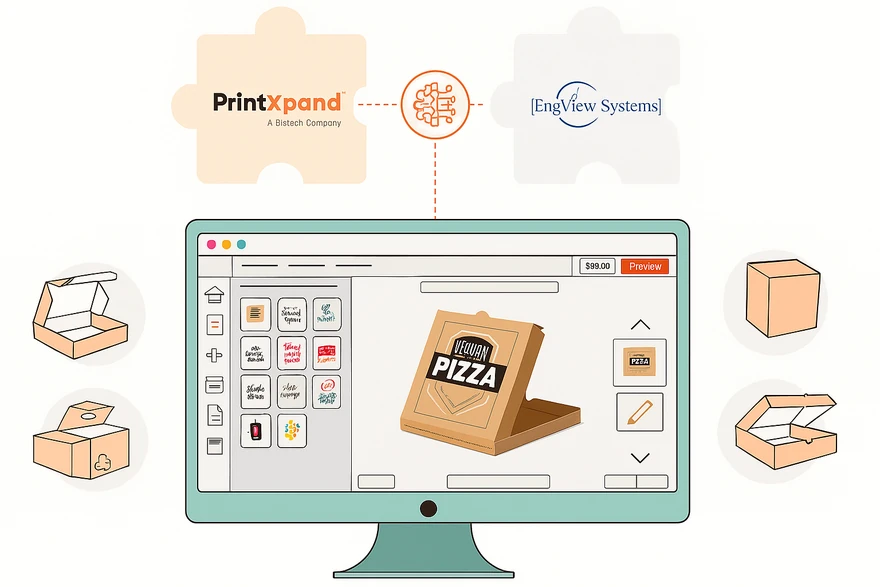
Let customers configure custom packaging online — choose box style, dimensions, substrate, and finishing. Upload artwork or design in-browser. Preview the final package in 3D before ordering. Print-ready dieline output with bleed and safe zones generated automatically.






Why Packaging Businesses Lose Orders Without an Online Configurator
Customers Can't Visualise the Final Package
Flat dieline PDFs confuse customers. They can't see how artwork wraps around edges, where folds land, or how the finished box looks. Misunderstandings lead to costly reprints, delayed shipments, and frustrated buyers who take their business elsewhere.
✓ 3D box preview — customers rotate and inspect the finished package before ordering
Every Quote Takes Days, Not Minutes
Customers email dimensions, quantities, and substrate preferences. Your team manually calculates pricing based on box style, paper weight, finishing, and quantity tiers. The quote goes back via email. By the time you respond, the customer has already found a faster supplier.
✓ Real-time pricing engine — price updates live as customers configure their packaging
Artwork Errors Cause Expensive Reprints
Customers upload artwork without understanding bleed, safe zones, or dieline positioning. Files arrive in wrong formats, wrong resolutions, or with artwork placed on the wrong panels. Your prepress team spends hours fixing files before production can start.
✓ Guided dieline editor — artwork validation, bleed markers, and panel guides built in
Six Core Capabilities of the Web-to-Pack Solution
3D Packaging Preview
Real-time 3D rendering of the customer's packaging — artwork mapped onto the box structure with accurate fold lines, edges, and panel layout. Customers rotate 360°, zoom in, and inspect every face before placing an order.
Dieline Template Library
Pre-built dieline templates for FEFCO and ECMA standard box styles — folding cartons, mailers, tuck-end boxes, sleeve packaging, and more. Custom dielines can be uploaded for unique structures. Bleed, safe zones, and fold lines are built into every template.
In-Browser Packaging Designer
Customers design directly on the dieline — upload artwork, add text, choose colors, position logos on specific panels. Guided placement shows bleed markers, safe zones, and panel boundaries. Print-ready PDF output generated automatically.
Packaging-Specific Pricing Engine
Real-time pricing calculated by box style, custom dimensions, substrate (kraft, coated, corrugated), print method (offset, digital, flexo), quantity tiers, and finishing options (spot UV, foil stamping, embossing, lamination, window cutouts).
Artwork Validation & Preflight
Uploaded artwork is automatically checked for resolution, color mode (CMYK), bleed compliance, and safe zone adherence. Issues are flagged with visual annotations before the order is submitted — reducing prepress intervention by 90%.
Production-Ready Output
Every order generates print-ready files: dieline PDF with artwork, cut lines, and registration marks. Job data flows to Print MIS with dimensions, substrate, finishing instructions, and quantity — zero manual file preparation.









Launch Your Packaging Configurator in 4 Steps
Free POC — Fast Delivery
Configure Box Styles & Pricing
Connect to Your eCommerce Store
Accept Packaging Orders Online
Web-to-Pack in the PrintXpand Ecosystem
Web-to-Pack
Online packaging configurator with 3D preview, dieline templates, real-time pricing, and print-ready output for custom packaging orders.
3D Product Configurator
Powers the 3D box preview — customers see artwork mapped onto the actual packaging structure with realistic folds, edges, and materials.
Learn more →Product Designer Tool
Provides the in-browser dieline editor — customers place artwork on specific panels with guided bleed markers, safe zones, and fold lines.
Learn more →eCommerce Store
The packaging configurator embeds into the PrintXpand eCommerce store or third-party platforms — customers browse packaging products and configure inline.
Learn more →Print MIS / ERP
Packaging orders flow into Print MIS as complete job tickets — dieline files, substrate specs, finishing instructions, and delivery details. Zero re-entry.
Learn more →Artwork Approval
Packaging artwork goes through online approval — clients review 3D renders and flat dieline proofs, annotate changes, and sign off digitally before production.
Learn more →Built for Your Print Business
Packaging: Box Design & Dielines
Packaging producers face complex die-line management and version control across dozens of SKU variants — PrintXpand’s web-to-pack tools handle structural design and approval in one flow.
- Interactive dieline editor for custom packaging shapes & sizes
- 3D box configurator — buyers see exactly what they’re ordering
- Substrate, finish & print spec selector (SBS, corrugated, kraft)
- Estimating & Quoting: instant price by size, qty & substrate
- Integrates with Print MIS for automated production routing

Commercial Print Shops
Commercial print shops juggle rush orders, reprints, and multi-format output without a unified workflow — PrintXpand connects your eCommerce store, prepress, and MIS into one pipeline.
- Variable data printing with unlimited product templates
- Gang-run scheduling & automated imposition
- Trade pricing tiers and B2B client portals
- Integrated MIS/ERP for job tracking and costing
- Hotfolder routing to prepress & RIP

Real Packaging Configurator Results.
“"Before PrintXpand, every custom box order started with a 30-minute phone call and 3-day email chain for quoting. Now customers configure their packaging online, see it in 3D, and order in under 10 minutes. Our quote-to-order conversion rate increased 45% because customers commit when they can see the result."”
“"Artwork errors used to cost us 15% of production time in prepress corrections. The dieline editor validates bleed, safe zones, and resolution before submission. Prepress intervention dropped from 60% of orders to under 10%. Our production team starts printing same-day on most orders now."”
Launch Your Packaging Configurator on Your Terms
Cloud or On-Premise — both include the full web-to-pack solution with 3D preview, dieline management, and pricing engine.
PX Cloud
Managed hosted solution. Packaging configurator live in days. Ideal for packaging printers and converters.
PX Cloud+
Fully managed, custom dieline library. Dedicated infrastructure with SLA.
PX On-Premise
Self-hosted, full source code. One-time license. Complete configurator control.