3D T-shirt Configurator
Rotate. Zoom. Customise. Order.
Let your customers see their custom t-shirt designs on a photorealistic 3D garment model before they order. Real-time rotation, zoom, front/back/sleeve views, and accurate color rendering — all in-browser, no downloads needed.
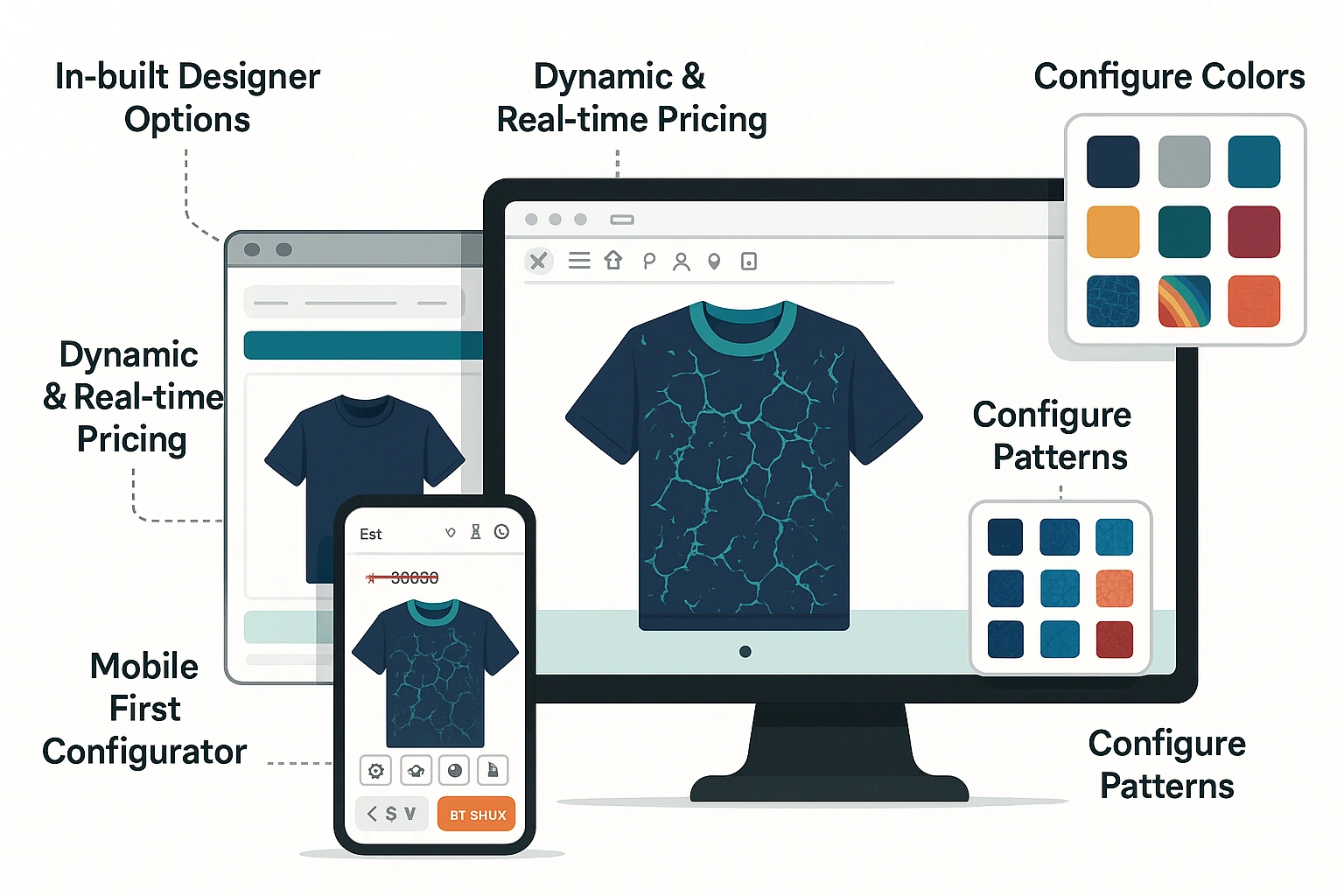






Selling Custom T-Shirts Shouldn't Mean Manual Artwork.
Manual, Error-Prone Process
- Customers email artwork files in random formats with no size or placement spec
- Staff manually set up each t-shirt design for the correct decoration method
- No 3D preview — customers approve flat mockups that don't reflect the real product
- Colour and garment variant combinations managed manually per order
- Name and number orders for team t-shirts require spreadsheet juggling
Automated, Self-Service Design
- Customers design t-shirts on a photorealistic 3D garment model in-browser
- Artwork placed, scaled, and previewed in real time across front, back, and sleeves
- Colour and garment variant switching updates the 3D model instantly
- Print-ready files generated automatically per decoration method
- Name and number personalisation: upload roster, auto-apply to each t-shirt in 3D
Everything Your Customers Need to Visualize Before They Buy
360° Garment Rotation
Customers rotate the t-shirt model freely — front, back, left sleeve, right sleeve. Every angle visible before placing the order. Works on desktop and mobile touch devices.
Real-Time Color Switching
Change garment color instantly in the 3D view. Customers see their design on black, white, navy, red, or any color you stock — accurate fabric-tone rendering.
Accurate Print Zone Mapping
Design placement respects actual print zones — front chest, full front, back, left chest, sleeve. No guesswork on where the design will land on the physical garment.
Pinch-to-Zoom Detail View
Zoom into any area of the garment to inspect design detail, text readability, and placement accuracy. Touch-optimized for mobile shoppers.
Multi-Surface Design Placement
Apply different designs to front, back, and sleeve zones independently. Each surface gets its own design layer in the 3D model, rendered simultaneously.
WebGL-Powered Performance
No plugins, no downloads. The 3D configurator runs entirely in the browser using WebGL. Renders load in under 2 seconds on standard connections.
Every Part of the T-Shirt, Fully Configurable
Chest Front
Upload logos, add text, and apply graphics to the chest print zone. Position and scale artwork with precise placement guides on the 3D t-shirt model. Supports DTG, DTF, and screen print output.
Back Panel
Full back panel with independent print area boundaries, bleed, and safe zone configuration. Name and number personalisation for teams — customers enter their own or upload a roster CSV.
Collar and Neckline
Neckline style selection — crew neck, V-neck, scoop — rendered accurately on the 3D model. Add text or artwork near the neckline with position-locked zone constraints to protect print quality.
Left Sleeve
Independent left sleeve print zone for logos, stripes, and small text. Preview sleeve artwork in context of the full t-shirt design. Sleeve length options rendered on the 3D model.
Right Sleeve
Configure the right sleeve independently or mirror the left. Supports separate artwork, colour stripe, or logo badge. Each sleeve zone has its own size constraints and bleed guidelines.
Hem and Bottom
Hem length and bottom edge style shown on the 3D model. Crop top, standard, and longline hem options rendered accurately so customers see exactly how the finished t-shirt will look and fit.
Built for Your Print Business
eCommerce Store for Promo Distributors
Most promotional product distributors struggle with managing custom artwork across hundreds of SKUs and coordinating vendor fulfillment — PrintXpand gives you a single platform to handle it all.
- Branded merchandise ecommerce with product personalization
- Pop-up campaign stores & permanent corporate gifting portals
- PX Connect: source direct from Geiger & PF Concept — no stock held
- MOQ pricing, volume breaks & redemption/budget controls
- Automated brand-compliance checks on every order before output
Retail Decorators: AI-Enabled Decoration for Apparel & More
Retail decorators cover all retail and personalization — apparel, accessories, gifts, and more. PrintXpand’s AI-enabled design tools, multiple printing options, and automated proofing eliminate the bottleneck.
- Garment designer with color variant & size matrix configurator
- DTF Gangsheet Builder — auto-nested, press-ready on every order
- Name & number personalization for team kits & sportswear
- PX Connect: source blanks from SanMar, S&S & Alphabroder — no stock held
- Artist Marketplace to sell curated designs on your eCommerce store
Packaging: Box Design & Dielines
Packaging producers face complex die-line management and version control across dozens of SKU variants — PrintXpand’s web-to-pack tools handle structural design and approval in one flow.
- Interactive dieline editor for custom packaging shapes & sizes
- 3D box configurator — buyers see exactly what they’re ordering
- Substrate, finish & print spec selector (SBS, corrugated, kraft)
- Estimating & Quoting: instant price by size, qty & substrate
- Integrates with Print MIS for automated production routing
Real Results from Print Businesses
“"Adding the 3D t-shirt preview to our store was a real shift. Returns dropped noticeably and customers spend more time customising — which means higher AOV. The integration with our Shopify store took under a week."”
“"Our corporate clients love being able to see their branded t-shirts in 3D before approving the order. It's eliminated the back-and-forth on mockups entirely. PrintXpand's team helped us configure everything in days."”
The 3D Configurator Connects to Your Entire PrintXpand Stack
Product Designer Tool
Customers design in 2D, then preview in 3D — both tools work together smoothly.
eCommerce Store
3D preview embedded directly in your product pages — no redirects, no popups.
PX Connect
Preview vendor products (SanMar, S&S, Alphabroder) in 3D before your customer orders.
Print MIS / ERP
3D-approved designs feed directly into production job tickets — no re-entry.
Print on Demand
Marketplace sellers offer 3D preview on every product — increasing buyer confidence.
B2B Corporate Storefront
Corporate buyers preview branded garments in 3D before approval and bulk ordering.
See the 3D T-Shirt Configurator Running on Your Store
Free POC with your products and branding — live in days, not months. No commitment.