Online 3D Product Configurator Tool
Rotate. Zoom. Customise. Order with confidence.
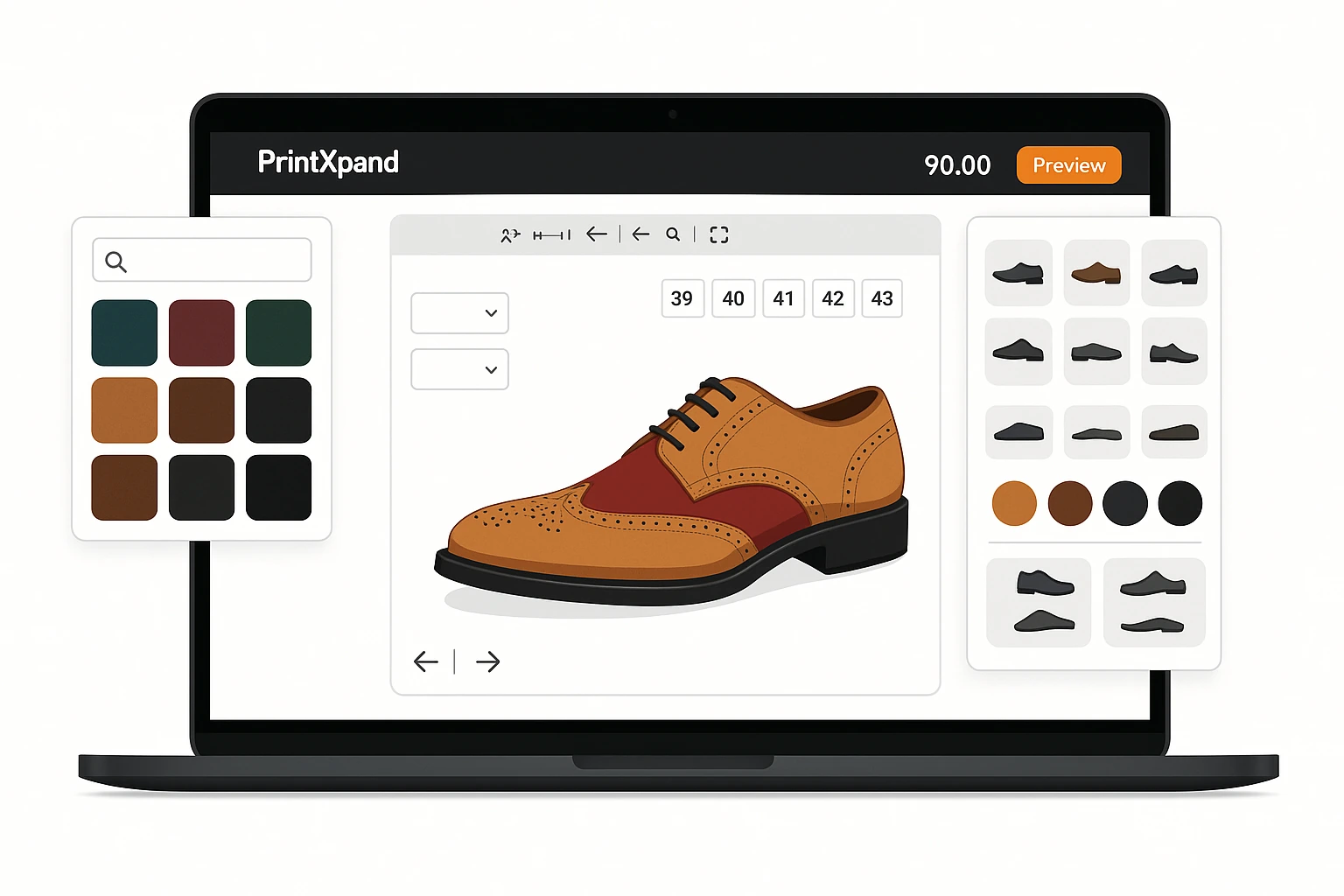
Let customers see exactly what they'll receive before they order. PrintXpand's 3D product configurator renders photorealistic previews in-browser — rotate, zoom, change colors, place logos, and visualise every detail. Reduce returns, increase conversions, and eliminate "not what I expected" complaints.






Why Flat Product Images Cost You Sales and Returns
Customers Can't Visualise the Final Product
Static 2D mockups don't show how a logo wraps around a mug, how embroidery looks on a collar, or how a design sits on the back of a jacket. Customers order blind — and return what doesn't match their expectations.
✓ Real-time 3D preview — rotate, zoom, and see every angle before ordering
High Return Rates on Custom Products
Custom products can't be resold when returned. Every "not what I expected" return is a total loss — materials, labour, and shipping wasted. You're absorbing costs that better visualization would prevent.
✓ Up to 60% fewer returns — customers see exactly what they'll receive
Abandoned Carts at the Configuration Step
When customers can't see how their choices affect the final product, they hesitate. Configuration uncertainty leads to cart abandonment — especially for high-value or complex custom products.
✓ Live 3D updates as they configure — builds confidence and drives checkout
Six Core Capabilities of the 3D Product Configurator
360° Real-Time Rotation
Customers rotate products in full 3D — front, back, sides, top, bottom. Every angle is rendered in real time using WebGL. No pre-rendered images, no waiting, no plugins required. Works on desktop, tablet, and mobile.
Live Color & Material Swap
Change product color, material finish, and texture in real time. Customers see a photorealistic rendering of their exact configuration — matte, glossy, metallic, fabric textures — all updated instantly.
Logo & Design Placement
Drag-and-drop logo placement on 3D surfaces. Customers upload artwork and position it precisely — wrapping around curved surfaces like mugs, bottles, and hats with accurate deformation preview.
Mobile-First 3D Experience
Touch gestures for rotate (drag), zoom (pinch), and pan (two-finger). Optimized WebGL rendering for mobile GPUs. Responsive layout adapts the 3D viewport to any screen size — no app download required.
Real-Time Pricing Updates
As customers configure products in 3D — changing size, color, material, decoration method — the price updates instantly. No quote delays. Element-based pricing calculates cost in real time.
eCommerce Integration
Embed the 3D configurator directly into your Shopify, WooCommerce, Magento, or BigCommerce product pages. Works alongside PrintXpand's 2D design tool. Configuration data flows into checkout and order management automatically.









Add 3D Configuration to Your Store in 4 Steps
Free POC — Fast Delivery
Upload 3D Models
Embed in Your eCommerce Store
Go Live & Track Impact
3D Configurator in the PrintXpand Ecosystem
3D Product Configurator
Real-time 3D product visualization embedded in your eCommerce store. Customers rotate, customise, and see photorealistic previews before ordering.
Product Designer Tool
Works alongside the 3D configurator — customers switch between 2D design editing and 3D preview without switching tabs. Design artwork in 2D, preview the result in 3D.
Learn more →eCommerce Store
The 3D configurator embeds directly into storefront product pages. Configuration data — colors, materials, decoration placement — flows into cart and checkout.
Learn more →Web-to-Pack
3D box preview for packaging configurator — customers see their custom packaging rendered in 3D with dieline folding, material textures, and print placement.
Learn more →PX Connect
3D models linked to vendor product catalogs via PX Connect. When customers configure a product in 3D, inventory availability is checked in real time across vendors.
Learn more →Print MIS / ERP
3D configuration data — exact colors, placement coordinates, decoration method — passes directly into job tickets in Print MIS. Zero manual re-entry from configurator to production.
Learn more →Built for Your Print Business
eCommerce Store for Promo Distributors
Most promotional product distributors struggle with managing custom artwork across hundreds of SKUs and coordinating vendor fulfillment — PrintXpand gives you a single platform to handle it all.
- Branded merchandise ecommerce with product personalization
- Pop-up campaign stores & permanent corporate gifting portals
- PX Connect: source direct from Geiger & PF Concept — no stock held
- MOQ pricing, volume breaks & redemption/budget controls
- Automated brand-compliance checks on every order before output
Retail Decorators: AI-Enabled Decoration for Apparel & More
Retail decorators cover all retail and personalization — apparel, accessories, gifts, and more. PrintXpand’s AI-enabled design tools, multiple printing options, and automated proofing eliminate the bottleneck.
- Garment designer with color variant & size matrix configurator
- DTF Gangsheet Builder — auto-nested, press-ready on every order
- Name & number personalization for team kits & sportswear
- PX Connect: source blanks from SanMar, S&S & Alphabroder — no stock held
- Artist Marketplace to sell curated designs on your eCommerce store
Packaging: Box Design & Dielines
Packaging producers face complex die-line management and version control across dozens of SKU variants — PrintXpand’s web-to-pack tools handle structural design and approval in one flow.
- Interactive dieline editor for custom packaging shapes & sizes
- 3D box configurator — buyers see exactly what they’re ordering
- Substrate, finish & print spec selector (SBS, corrugated, kraft)
- Estimating & Quoting: instant price by size, qty & substrate
- Integrates with Print MIS for automated production routing
Real 3D Configurator Results.
“"Adding the 3D configurator to our promo products store cut our return rate by more than half. Customers can rotate a mug, see their logo wrapping around it, and they order with total confidence. Our average order value went up 25% because they add more items when they can visualise them."”
“"The packaging 3D preview changed everything for our custom box business. Customers used to order samples — now they configure online, see the folded box in 3D, and order in one visit. Sample requests dropped 80% and conversion went up."”
Add 3D Visualization to Your Print Business
Cloud or On-Premise — both include the 3D configurator as part of the full web-to-print platform. No per-transaction fees.
PX Cloud
Managed hosted solution. 3D configurator included. Operational from day one.
PX Cloud+
Fully managed with custom 3D models. Dedicated infrastructure, SLA-backed.
PX On-Premise
Self-hosted, full source code. One-time license. Complete 3D rendering control.